Gallery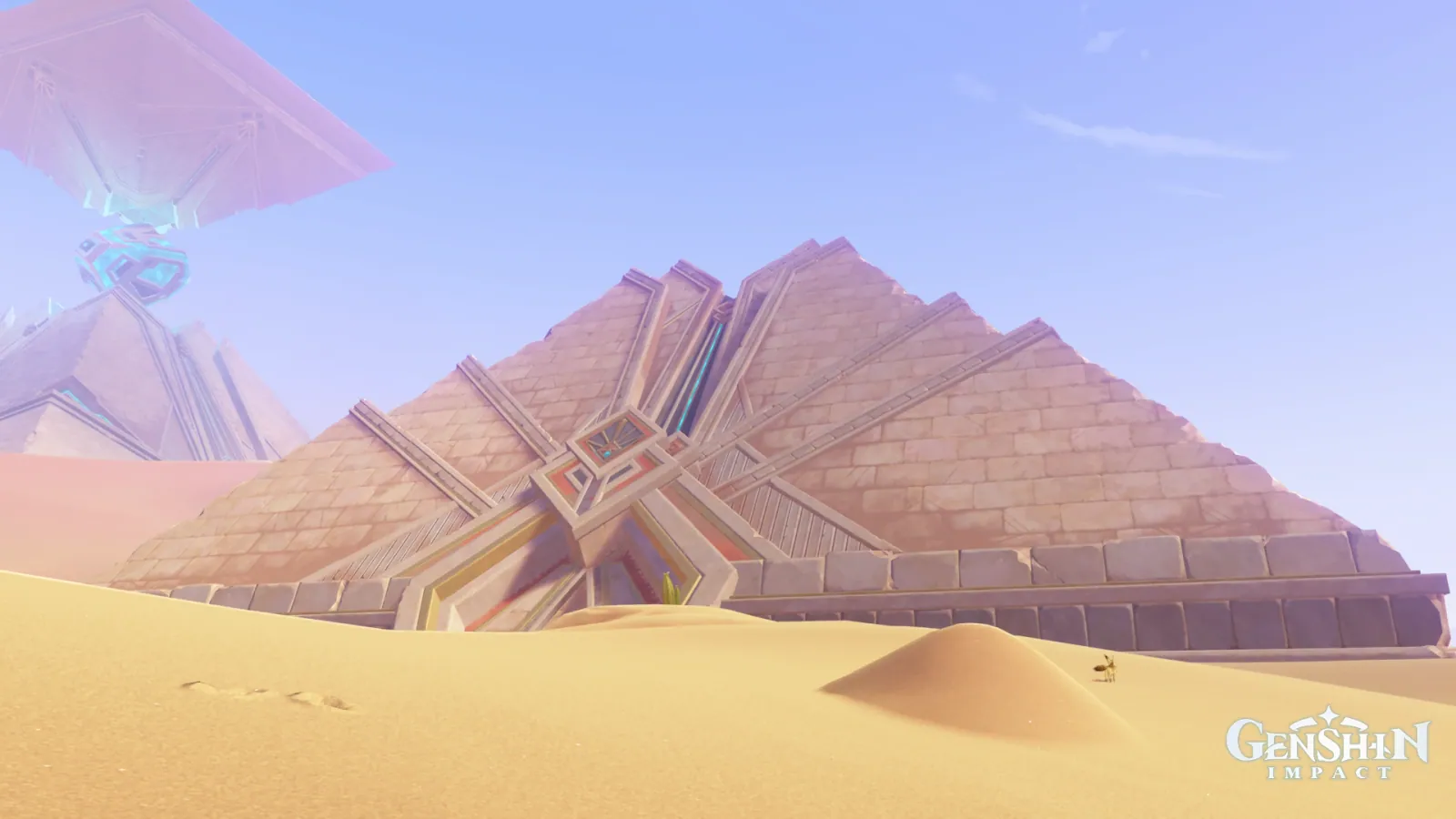
SumeruDayBleachedSilentAncient
Tomb of Carouses in Bleached Light
Palette
Click a swatch to copy its HEX; hover for the OKLCH value.
Reconstructed gradient
The gradient distilled from the scene, unrolled left to right by stop; the authored angle is 185° (used by the hero and exports), while gallery cards share a uniform 135° sweep.
0%d1d7f934%c1c6f870%e6c18a100%b89392
Why it works
To change a scene's climate, move its median lightness first: the same Sumeru desert, the same pair of hues (yellow sand and violet haze), and a median chroma of 0.071 that is *higher* than the Desert of Hadramaveth's 0.059 — yet it reads as bleached rather than baking. What differs is the median lightness: 0.82 against 0.69.
Take these colours with you
CSS variables, a Tailwind v4 theme or SVG — one click to copy into your project.
/* Tomb of Carouses in Bleached Light · Tomb of Carouses in Bleached Light — Teyvat Palette */
:root {
  --bleached-sand: oklch(0.83 0.083 77); /* Bleached Sand #e6c18a */
  --thin-haze: oklch(0.84 0.07 280); /* Thin Haze #c1c6f8 */
  --tomb-stone: oklch(0.81 0.09 268); /* Tomb Stone #a8bffc */
  --shaded-sand: oklch(0.697 0.045 20.8); /* Shaded Sand #b89392 */
  --inlay-red: oklch(0.64 0.103 28); /* Inlay Red #c37369 */
  --gradient-tomb-of-carouses: linear-gradient(185deg, oklch(0.885 0.048 278.1) 0%, oklch(0.84 0.07 280) 34%, oklch(0.83 0.083 77) 70%, oklch(0.697 0.045 20.8) 100%);
}A 1080×1350 PNG carrying the scene, its palette and every value — save it and post it as is.